Monday, September 17, 2012

iPad adaptations for students who are deaf or hard of hearing

First thing is first, lets look at some ways to make our iPad more user friendly for individuals who are deaf or hard of hearing. The iPad has many adaptations that can be made to make it easier for students who are deaf and hard of hearing to access the device. 

"iPhone apps - home by angelcandy.baby, Flickr (via Wylio), license: http://creativecommons.org/licenses/by/2.0/


Face Time
FaceTime is a phone calling app that features video and works through Wi-Fi internet connection. It is very similar to Skype as it uses video to relay messages. FaceTime is ideal for individuals who are deaf or hard of hearing because a user can easily observe facial expressions, gesture, and communicate using American Sign Language or lip reading.  FaceTime can also be used to make and receive video relay and text relay calls. Below is a tutorial on how to set up face time on your iPad.


Volume adjustments

Users are able to adjust the volume  on an iPad. To do so follow the steps below:
  1. Touch settings icon on Home screen
  2. Click general settings tap sounds
  3. Drag the slider bar to the right to increase the volume and to left to lower it 
  4. Touch home button to close settings
  5. image0.jpg


Notes
Notes is an app that comes standard on your iPad. It can be used to type and record notes in class. Create new notes, review notes previously created, search for notes, save notes, delete them, and email them! Teachers can use this app to document instructions or directs for students to complete. Click create new note and the on screen keyboard will pop up. Compose your note and save it! The video posted below is an app tutorial. 


Closed Captioning - The iPad  supports the playback of open captions, closed captions, and subtitling. The captions appear onscreen, just like on TV. 


Visual Alerts
Some apps such as mail, app store, and skype on the iPad have visual alerts for the user. Visual alerts are also appear with time, date, wi-fi function, and battery life.


Mono Audio

To improve your listening experience when using headphones, turn on Mono Audio. When Mono Audio is turned on, iPad plays all sounds in both ears.

  1. Click on the Settings icon
  2. Navigate to  General settings
    Click Accessibility.
  3. Click the Mono Audio On/Off button to turn on the feature.
    image1.jpg
    Mono Audio is turned on.
  4.  Touch on  the Home button to close Settings.

Monday, September 3, 2012

5 fun back to school interactives

Looking for some fun back to school activities for your students to play online? Well look no further below are five fun back to school interactives to use in your classroom!

Emily Elizabeth goes to school - Interact with Emily Elizabeth and Clifford about her day at school. 

Back to school printables - Several back to school printables including mini soduko

Back to school interactive pages - Interactive back to school coloring pages

Back to school wordsearch - Interactive back to school word searchwords go across and down only; uses basic vocabulary.

Back to school crossword - back to school crossword puzzle. 

To find more back to school activities click here

Lovely labor day activities

Hi everyone happy labor day! Below are some fun and educational labor day activities to play with your students on the computer or print them out. Be sure to view this BrainPop video about the topic: http://www.brainpop.com/socialstudies/freemovies/cesarchavez/


Labor Day coloring pages - Some labor day interactive coloring pages. 

Community helpers - Community helpers see and hear what they do

American Symbols game Simply match the symbol to the correct description.

Enchanted learning printables - Crafts include a labor collage, building a town out of recycled materials including paper towel rolls and tissue boxes, printable activity books, puzzles, vocabulary worksheets, alphabet games, and coloring pages brought to you by Enchanted learning.

Labor day word jumble Try to guess the word. Then click in the applet to show the answer. After showing the answer, click again for another randomly-chosen word with scrambled letters.

Labor day word search interactive 
Each word on the list is hidden in the pool of letters. To circle a discovered word, mouse-click on one end of the word and mouse-drag to the other end of the word. Words may be hidden horizontally, vertically, diagonally, forward, or backward

Tuesday, July 24, 2012

Guest post - Laura Casey from Look at Me Now!

I would like to thank Laura Casey (laura@lookatusnow.org) for writing this guest blog post. 


Look at Me Now!®- A New Face for Autism Treatment

Using face-replacement technology, Look at Me Now!®, LLC (www.lookatmenow.org) offers a one-stop solution for many of the daily challenges facing children with Autism and their families. In response to the increasing diagnoses of Autism Spectrum Disorders and the resulting strain on resources, the Maine-based company is making evidence-based interventions completely accessible and affordable to parents and professionals, online.  Research supports Video Modeling techniques and proves that children with Autism who watch themselves successfully manage the previously impossible situation are able to translate it into reality.    Look at me now!® offers customizable/personalized movies for children with Autism and related disorders.  These movies, starring the child himself or herself, are known in the field as Video Self Model (VSM) movies and are widely supported in research.  These movies are used in school and home settings by parents, teachers and professionals.   The positive outcomes and changes these movies can produce are astonishing.  In the past, parents and clinicians had to make these movies by doing all of the work; "setting the stage," filming, editing, and narrating to create a final product.  Now, by simply submitting a photo via the company's secure website(www.lookatmenow.org), users can create a short video depicting the child from the photo engaged in an activity of daily living or an age appropriate skill.  The short movie captures the sights and sounds associated with the activity and children see themselves completing the tasks errorlessly and with enjoyment. Look at Me Now!® was founded by Laura Casey who has more than 14 years of experience in the field of Autism Intervention.  Ms. Casey holds a Master’s Degree in Special Education and has worked with hundreds of children and families in meeting the challenges of Autism.  Ms. Casey has researched, published and presented on the subject of Autism and Early Intervention.  Parents who have used the face-replacement software and resulting videos provide high marks.  Amy Hayes, of Ellsworth, Maine says, "Until we found Look at Me Now!® movies, we had never seen such clear results.  After viewing his movie, Anderson's therapist, myself and my daughter sat and watched the "movie" replay with amazement.  He did a fantastic job- better than ever before!  There were no tears, no pulling away, no kicking or screaming.  He was so proud of himself and so are we!"  Prior to his movie about having his nails cut, Anderson had worked on this skill for 2 years with his occupational therapy.  Within 3 viewings of his movie, the behavior change was remarkable!
"The promising practice of video self-modeling is finally available to the masses in an affordable and easy-to-use manner," said Dr. Tom Buggey, author of "Seeing is Believing: Video Self-Modeling for People with Autism and Other Developmental Disabilities," and an adviser to the company.  "It is hard to imagine a project that would offer more promise than Look at Me Now! does to children with Autism and their families."

Friday, July 20, 2012

10 Art Sites to use on a rainy day

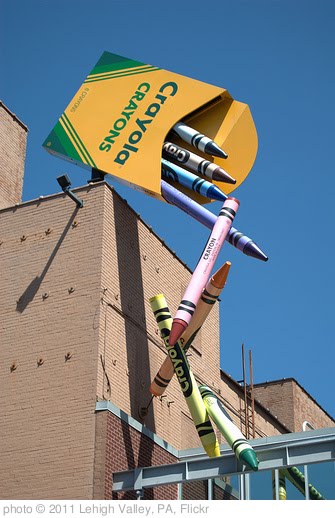
'Crayola Crayons' photo (c) 2011, Lehigh Valley, PA - license: http://creativecommons.org/licenses/by/2.0/

Make Your Own Superhero Choose your base from three different ones, then create your superhero! 

Clayyourself - Make yourself into a clay figure!

Muro digital art sites a user can change colors, adjust gradient, add effects


Portrait Creator- Create a masterpiece with this game, drag and drop different parts of the face onto the canvas


.Odosketch - Create sketches with colored pencils.

Voice Draw - Create art with voice/sound. Very cool for our nonverbal kids! Scream and shout and create a masterpiece. 


Nick Jr coloring book - Online coloring book featuring Nick Jr friends.

sketchbook Drawing space Found on Donna Murray's blog

Crayola Digicolor - Choose the art medium (marker, crayon, etc) choose the color, print, and share.


Doodle pad Draw a picture. Create a card. Doodle a work of art. The Doodle Pad can reach as far as your imagination takes you.

Tuesday, July 10, 2012

July interactives and sites

Although the 4th is over doesn't mean you have to stop celebrating!

"Icing ignores his country's flag" by abbamouse, Flickr (via Wylio), license: http://creativecommons.org/licenses/by-sa/2.0/

America the Beautiful - Animated Flash ecard by Jacquie Lawson that shows the flowers from each state. 

The American Flag Word Search - A fun American flag themed word search

July 4th in the US - Watch the video below and play 3 fun interactive games, matching, concentration, and a word search to test your knowledge! 

Fireworks just for you - Click mouse repeatedly in random areas above for an awesome display of fireworks.


4th of July interactive quiz - Take this interactive quiz about the 4th! 


All about the 4th - 4th of July color pages, crafts, and interactive word searches


For more July fun click here

Monday, July 9, 2012

Cute Kindergarten blogs to check out

Hi everyone I wanted to post about some cute, colorful, and of course informative kindergarten blogs that I found on  my travels today. 


  • Kindergarten center blog created by Amy who is a teacher. She posts about many different topics related to kindergarten and pre-k. Amy also posts some freebies and giveaways for teachers. If you are looking for some sweet kindergarten ideas check out this site!

  • Mrs. Minder's Kindgarten Monkey Business- created by Mrs. Miner. Mrs. Miner posts some good ideas and resources to use everyday objects (like a digital photo frame) in your class. Mrs. Miner also stocks her site with some fun freebies and printables to add to your teacher toolbox. 

  • Tickled to teach  - developed by Shannon. She posts some creative and crafty ideas and resources to use in your classroom. She even posts example pictures! If you are looking for a fun and crafty site be sure to visit Shannon's blog!
'handprints :) :)' photo (c) 2008, Stuti Sakhalkar - license: http://creativecommons.org/licenses/by/2.0/